Trickle Logo

Generate professional grade website
visuals with Nano Banana Pro

Create, edit, and refine images right inside your website builder. Trickle’s Nano Banana Pro model lets you generate hero images, UI assets, illustrations, and full scenes with just a few words so you can design and build faster.

What you can do with Nano Banana Pro

Exploration

Multiverse Character Crossover
Illustrated Lore Tree
Pet Life Comic Strip
Creative Illustration
Commercial Poster
Fine Meme
Creative Illustration
Modern UI Design
Creative Layout
Digital Art Concept
Brand Identity Design
Photography Style
Portrait Design
Creative Illustration

Our Features

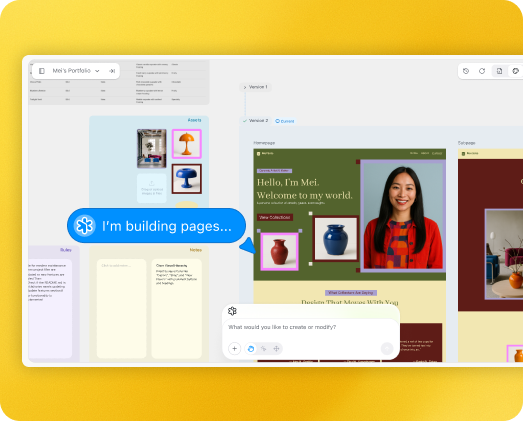
Create with natural language & visual space

Create with natural language & visual space

Start by typing what you want in plain language. Trickle turns your prompt into a Magic Canvas, a multimodal workspace where AI understands your intent through context such as page layouts, logic rules, assets and data.You can also adjust text, spacing, alignment, or colors on the Canvas directly.
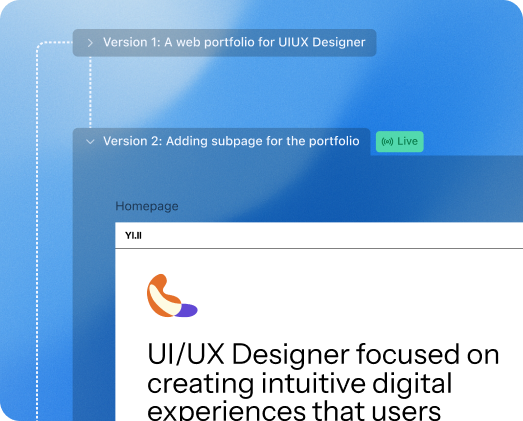
Version history, reimagined

Version history, reimagined

The Magic Canvas supports version history and multilinear management into one place. Restore past iterations, branch into new insights, or reorganize your entire project visually within a single workspace.You can roll back to fast iterations side by side to easily change or roll back, and every version stays connected.
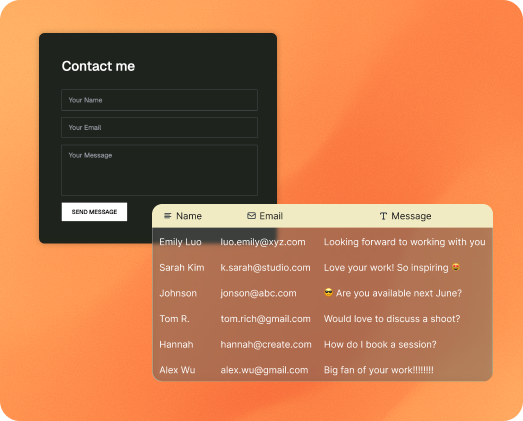
Built-in database, zero setup

Built-in database, zero setup

Trickle handles data natively with no backend or manual setup. Collect form data in real time, manage dynamic content, and create structured collections with a prompt.AI automatically generates data structures that update as your project grows, letting you connect logic and content without using APIs or doing custom data flows.
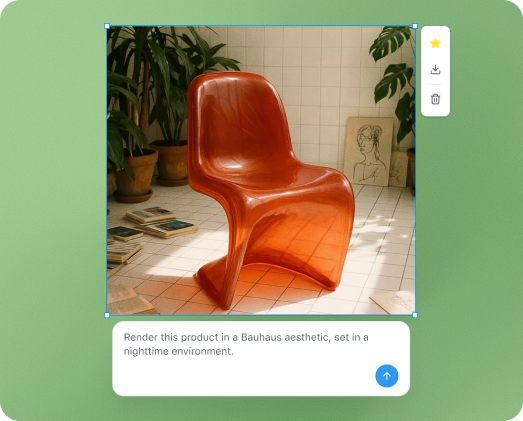
Image and video generation, all in one flow

Image and video generation, all in one flow

Trickle's Image Generation and Video Generation use the built-in AI model Nano Banana to power a complete workflow for visual creation and content generation. From ideation to refinement, you can create, edit, and perfect visuals directly on the Canvas without switching tools or exporting files.All visuals are generated in context, making your creative process faster, smoother, and fully integrated.

Why Trickle is better

Most vibe coding tools are built for techies. Trickle is built for everyone.

Optimization vs. complexity

Other vibe coding tools support advanced development features (like linting, syntax hints, or local web servers). But for non-developers, these capability slow down loading time and cause instability that trade off user experience. Trickle is fast, stable, and smooth to use.Others build for technical builders. Trickle builds for everyone.

Context-driven vs. chat-driven

In Trickle, Magic Canvas lets users visualize what the AI is doing. It is also where the AI builds and keeps context, and saves version history without overloading. Other tools rely on chat history and support rollback only, instead of forking and parallel trials. The longer the thread, the worse the AI performs as it loses context.Others use linear workflow. Trickle scales intelligently.

Versatile use cases vs. versatile development environments

Most vibe coding tools aims to enable AI to build complex projects like traditional developers. But large models today aren't yet reliable for deeply complex builds. Trickle takes a different view: vibe coding has huge potential beyond traditional software. It opens up new, creative ways for anyone to build things that fit their own needs — tools, pages, ideas, experiments.Others try to make AI code. Trickle lets AI help people create.
Trickle Logo
Your words, your appsBuild beautiful web apps
in seconds using natural language.
© 2025 Trickle